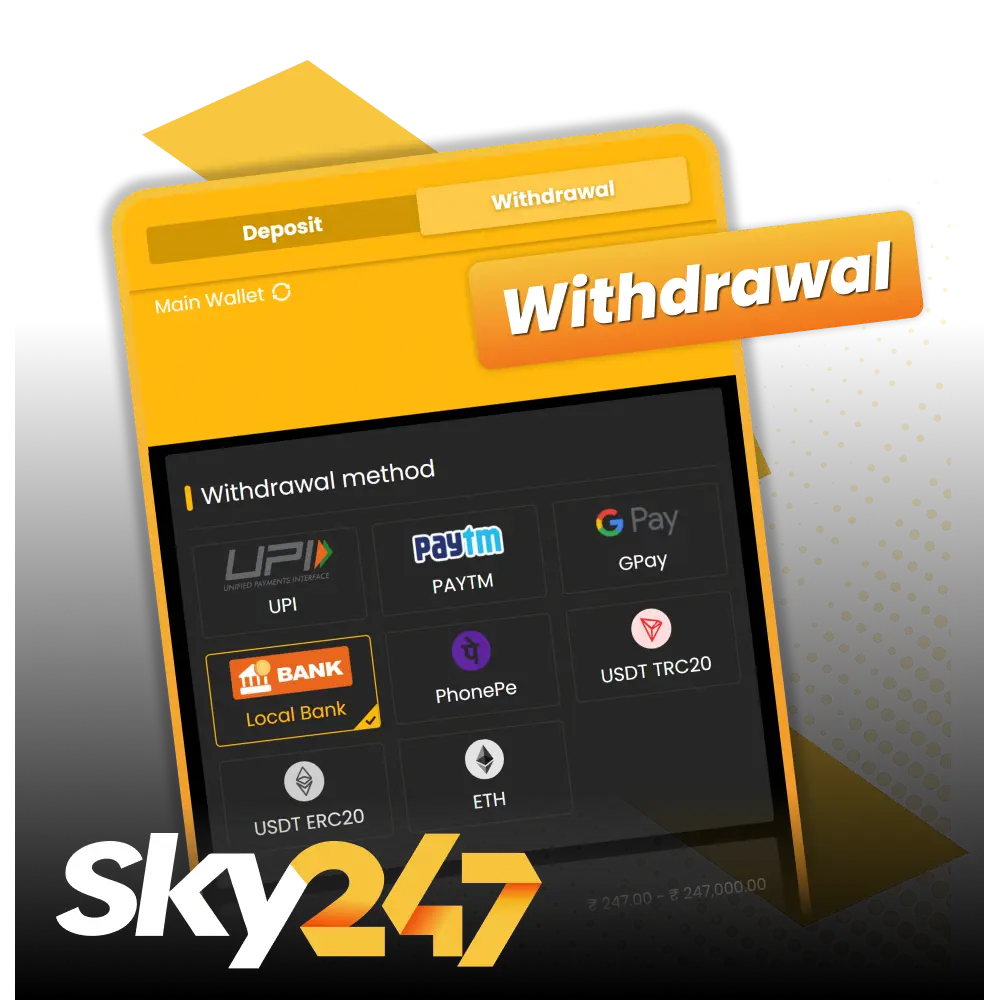
Sky247 Withdrawal Methods, Time and Limits in India

Withdrawing funds from your gaming account is quick and straightforward. Sky247 players in India can access seven reliable payment options, including UPI, Paytm, Google Pay, PhonePe, USDT TRC20, USDT ERC20, and Ethereum. The minimum payout starts at ₹500, while the maximum reaches ₹1,00,000 per transaction. New players can claim attractive offers such as Monday Power Deposit with 50% extra up to ₹1,500, First Deposit Offer with 24% cashback for the first 7 days up to ₹10,247, APP Cash Drops worth up to ₹1,400 weekly, and USDT Boost giving 5% extra up to ₹5,000. Processing takes between 15 minutes to 24 hours depending on your chosen method.

Withdraw your winnings through the official Sky247 portal with ease.

Available Withdrawal Methods in India

Players from India can withdraw their winnings using multiple trusted Sky247 payment options. No fees are charged when processing payouts. The minimum amount you can withdraw is ₹500, and the maximum is ₹1,00,000 per transaction. Most requests are completed within 15 minutes to 24 hours.

Payment Method Min Withdrawal Max Withdrawal Withdrawal Time Fees
UPI ₹500 ₹1,00,000 15 minutes – 1 hour Free
Paytm ₹500 ₹1,00,000 15 minutes – 1 hour Free
Google Pay ₹500 ₹1,00,000 15 minutes – 1 hour Free
PhonePe ₹500 ₹1,00,000 15 minutes – 1 hour Free
USDT TRC20 ₹1,000 ₹1,00,000 30 minutes – 2 hours Free
USDT ERC20 ₹1,000 ₹1,00,000 30 minutes – 2 hours Free
Ethereum ₹1,000 ₹1,00,000 1 hour – 24 hours Free
Start using!

How to Withdraw Money from Your Account

5 steps

Processing a payout is simple and requires a verified account and sufficient balance. You need Sky247 login details, a registered payment method, and completed KYC verification.

Step 1

Log In to Your Account

Visit the platform and enter your credentials. Navigate to the banking or cashier section from the main menu.

Access your banking section on the official Sky247 brand website.
Step 2

Select the Withdrawal Option

Click on the withdrawal tab. Choose your preferred payment method from the available options.
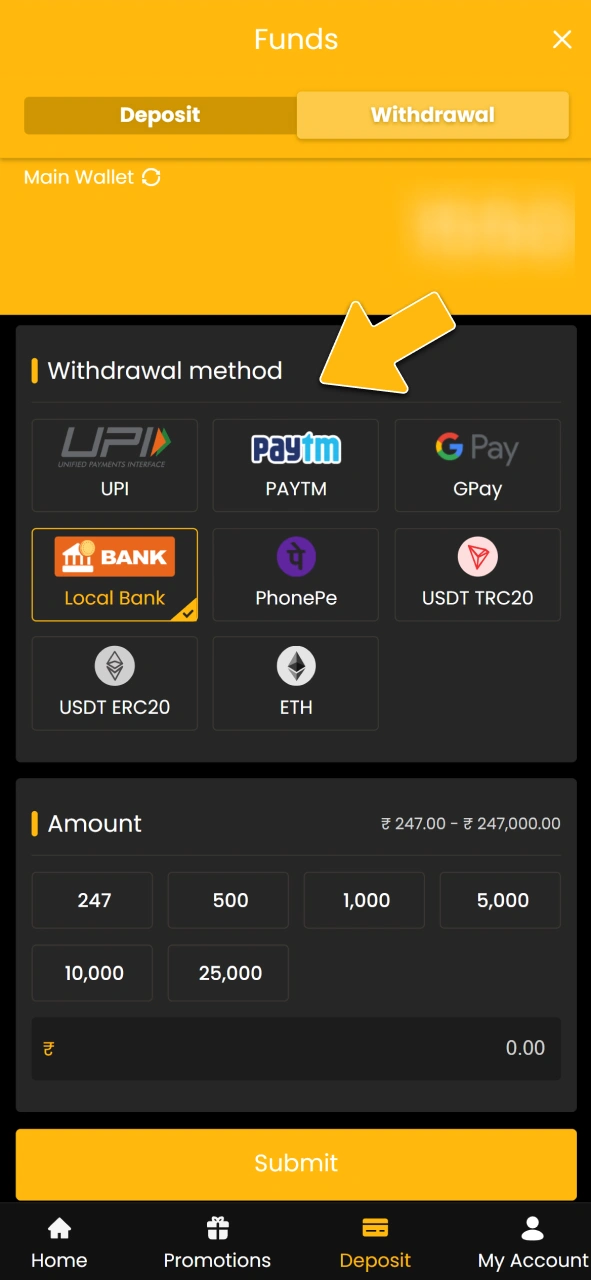
Choose a withdrawal method on the official Sky247 gaming platform.
Step 3

Enter the Amount

Type the amount you want to withdraw. Make sure it falls within the minimum and maximum limits.
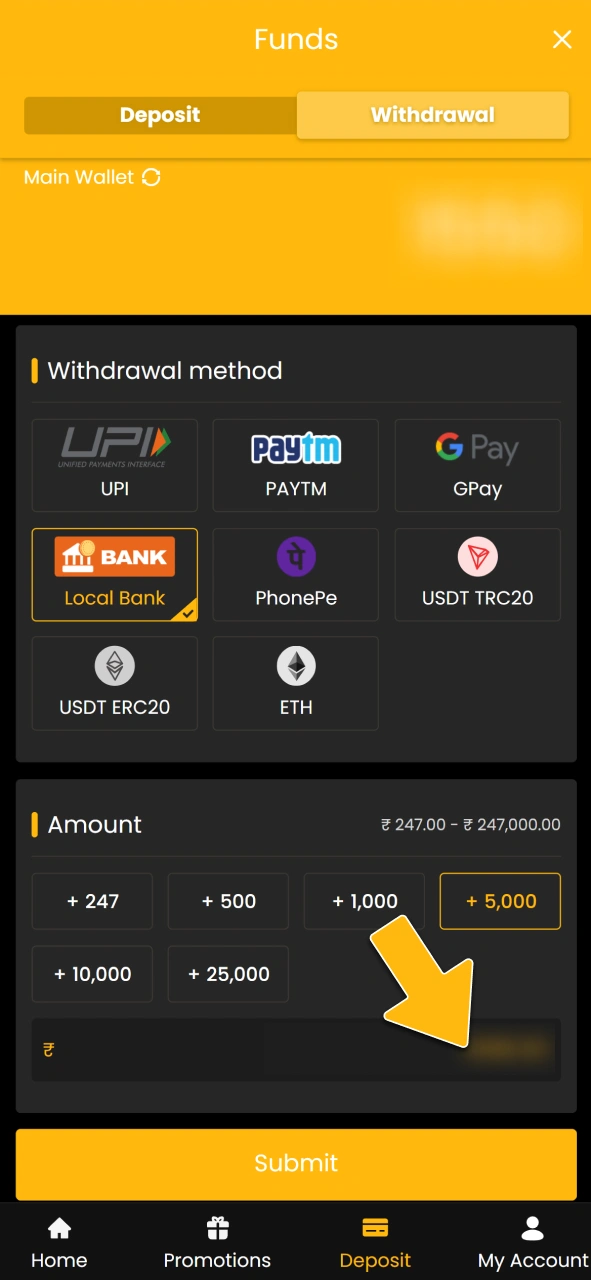
Input the withdrawal amount on the official Sky247 brand site.
Step 4

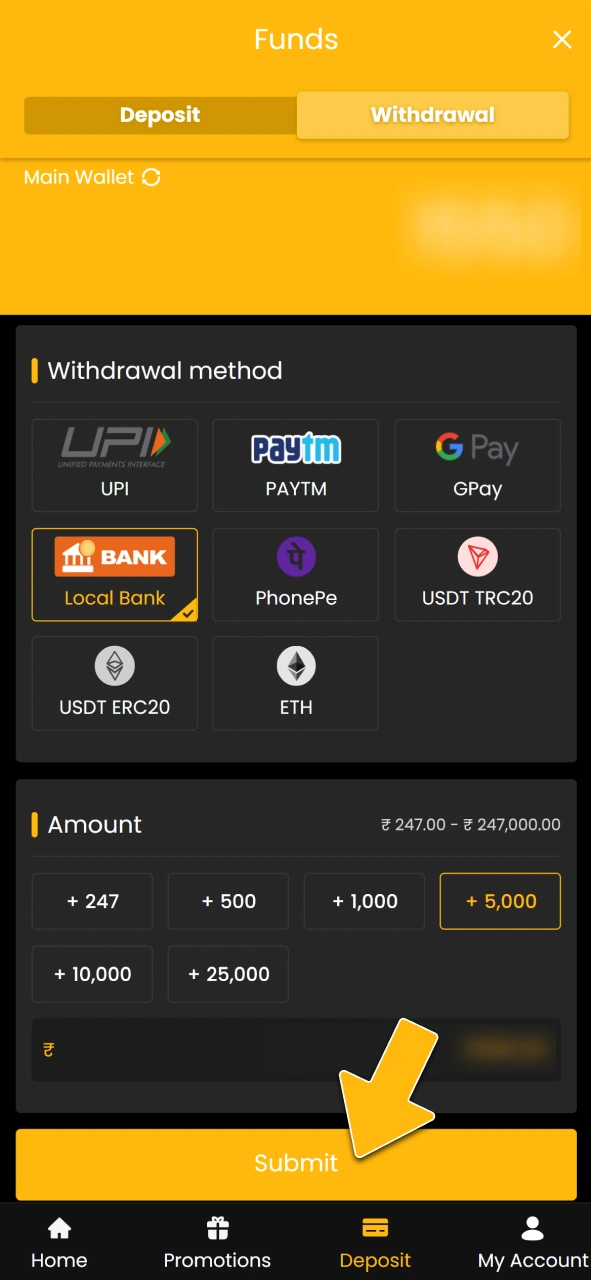
Confirm Your Request

Review the details carefully. Click confirm to submit your payout request.
Register Sky247
Submit your payout request on the official Sky247 brand portal.
Step 5

Wait for Processing

Your request will be reviewed and processed. Funds will arrive in your account based on the method’s processing time.
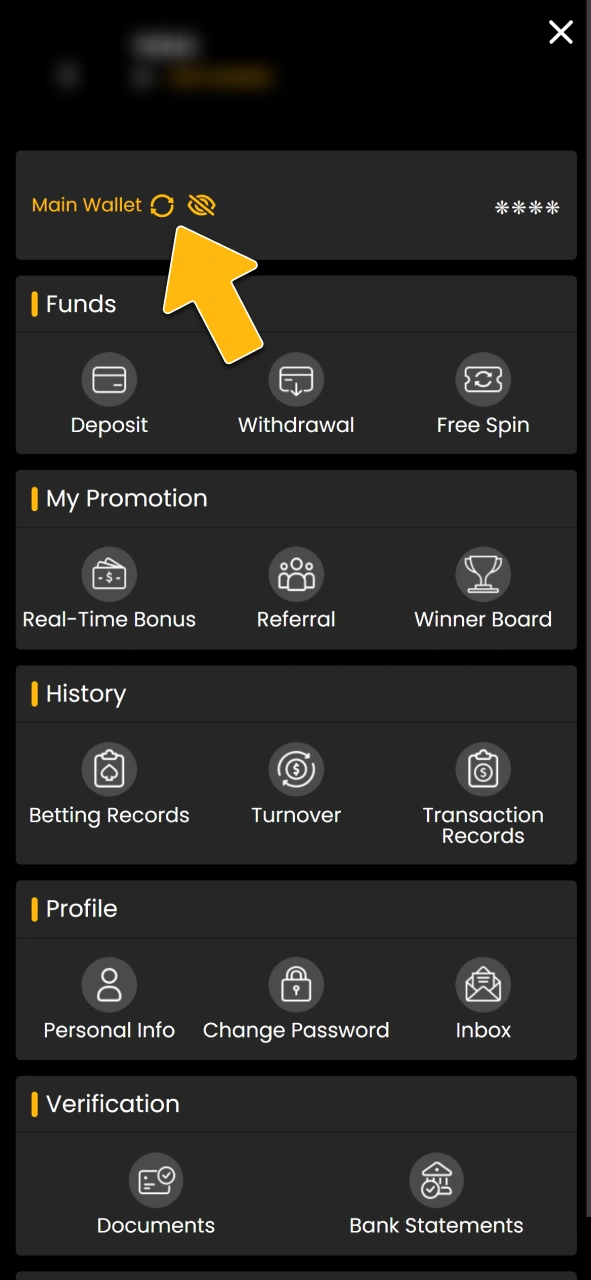
Wait for funds processing on the official Sky247 brand site.

Withdrawal Rules and Conditions

Understanding the Sky247 terms helps you avoid delays and ensures smooth transactions. The platform follows strict security and compliance protocols.
  • Account Verification Required. You must complete KYC by submitting a valid ID proof, address proof, and payment method confirmation before processing any payout;
  • Wagering Requirements Apply. Bonus funds must meet the stated rollover conditions before they can be withdrawn as real money;
  • Same Method for Deposits and Withdrawals. You must withdraw using the same payment method you used for deposits to comply with anti-money laundering regulations;
  • Single Active Request Allowed. Only one pending request is permitted at a time. Wait until your current request is completed before placing another;
  • Minimum Balance Must Remain. After processing your payout, a minimum balance may need to remain in your account as per platform policy.
Withdrawal rules overview showing verification, wagering, payment method matching, request limits, and minimum balance requirements.

Possible Problems with Withdrawals

Occasionally, players may face issues when requesting payouts. Here are common problems and how to resolve them.
  • Delayed Processing. If your payout takes longer than the stated time, check if your account is fully verified. Contact support if verification is complete and the delay persists beyond 24 hours;
  • Rejected Request. This usually happens when wagering requirements are not met or when account details do not match. Review the bonus terms and update your payment information if needed;
  • Failed Verification. Uploading unclear or incorrect documents can cause rejection. Submit high-quality scans or photos of your ID, address proof, and payment method matching your registered name;
  • Insufficient Balance. You may see an error if your balance is below the minimum limit after deducting pending bets. Wait for bet settlements or add funds before trying again;
  • Payment Method Issues. If your bank or wallet rejects the transfer, check with your provider for restrictions. Try an alternative method if the issue continues.
Common withdrawal problems at online casinos: delays, rejections, verification failures, and payment method issues explained.

Customer Support

The platform offers multiple channels to assist you with any payout-related concerns. Support is available 24/7 for Indian players.
  • Live Chat. Instant assistance through the website or official Sky247 app for urgent queries;
  • Email Support. Send detailed questions to [email protected] and receive replies within a few hours;
  • WhatsApp. Connect directly via WhatsApp for quick help on mobile;
  • Telegram. Join the official Telegram group for updates and support;
  • Phone Support.: Call the dedicated helpline for direct conversation with a support agent.
24/7 customer support via live chat, email, WhatsApp, Telegram, and phone for Sky247 Indian players with payout questions.

Frequently Asked Questions

What is the minimum amount I can withdraw?

The minimum payout is ₹500 for most payment methods. Cryptocurrency options like USDT and Ethereum require a minimum of ₹1,000.

How long does verification take?

Verification usually completes within 24 hours after submitting your documents. Delays occur if documents are unclear or do not match your registered details.

Can I cancel a pending withdrawal request?

Yes, you can cancel a pending request before it is processed. Once processing begins, cancellation is not possible.

Why was my payout rejected?

Common reasons include incomplete verification, unmet wagering requirements, or mismatched payment details. Check your account status and contact support for clarification.

Are there any fees for withdrawing funds?

No, the platform does not charge any fees for processing payouts. However, your bank or payment provider may apply their own charges.

Comments

The value is incorrect

The value is incorrect

The value is incorrect

Something went wrong. Please, try again later

Your comment has been sent!

Updated: